
No. Pixel Game Maker MV is a separate program you install and build games in yourself. Pixelfork is an AI game maker in your browser: you describe the game, and it's built for you, with nothing to install and no code to write.
Pixel artNo coding needed
 Drawing another look…
Pixel Game Maker
Make pixel art games with AI. Describe your game, approve its pixel-art look, and Pixelfork makes every sprite and background, then builds a game you can play in a few minutes.
Balanced
Free to start · No credit card needed
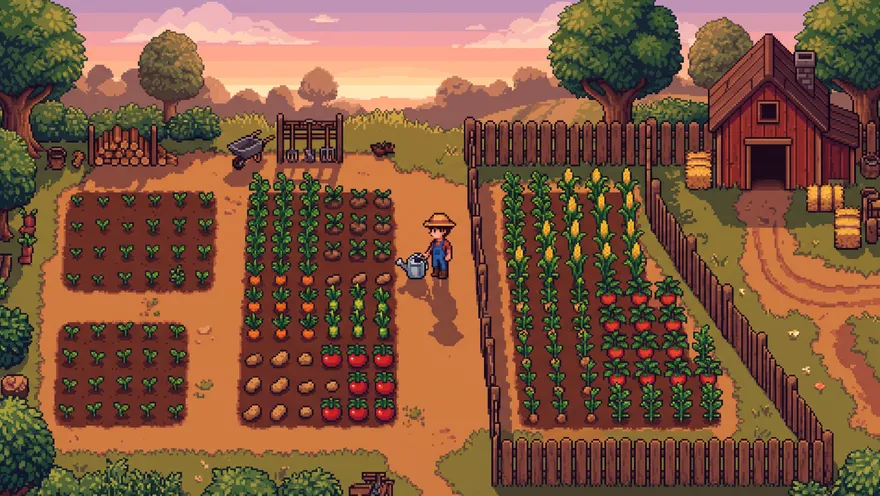
A cozy pixel art farming game with seasons
This is how your game will lookLook 1 of 2
Drawing another look…Pixelfork makes your game's art from this picture. The game draws it live, so small details can differ.
- 1You describe it, with “pixel art”
- 2Pixelfork paints the look. You approve it
- 3It paints each sprite and background layer
- 4It builds the game, tests it, and you play
Pixel art, three ways
Let Pixelfork paint it, bring your own, or mix both. Your art goes straight into a game that plays.
Pixelfork paints itBalanced · Lite and Pro
Say “pixel art” in your idea. Pixelfork paints how your game will look. Approve it, try another look, or describe a change, then it paints every character, object and background layer in that style.
Bring your own spritesEvery plan
Drop in your own pixel art: single pictures, sprite sheets with their frames and animations (idle, run, jump), and parallax backgrounds whose layers scroll at their own speed.
Make one piece at a timeGenerate image
Need one more sprite? Generate a character, an item or a tile. Pick square, wide or tall, and a transparent background, then ask Pixelfork to use it.
Pixel games you can make
Pick one to start from. It goes in the box above, ready to change.
Platformers
Run, jump and wall-slide through pixel levels.
Dungeon crawlers
Top-down rooms, slimes, loot and a boss every few floors.
Farming and cozy
Plant, harvest, sell and grow, season after season.
Shooters
Waves of enemies and bullet patterns, in 8-bit style.
Tycoon and idle
A little business that keeps earning while you're away.
Puzzles
Slide, match and connect on crisp little boards.
Questions, answered
No. With Balanced (on the Lite and Pro plans), Pixelfork paints the pixel-art look and every piece of art for you. On any plan, a game can start with simple art drawn in code, and you can swap in pixel art later.
Yes. Add pictures, sprite sheets and parallax backgrounds in Assets. A sprite sheet keeps its frames and named animations, like idle, run and jump, and Pixelfork uses them in the game when you ask.
It's free to start, with no credit card needed. Building and changing games uses credits. Playing and sharing them is free.
Yes. Pick Phone for an upright game played by touch, or Desktop for keyboard and mouse. Publish a link anyone can play, or export the game for Google Play.