A no-code game engine you talk to. Describe a game, and Pixelfork writes real HTML5 and JavaScript, tests it in a real browser, and hands you a game you can play, tweak and ship.
Drag a slider. Mechanics writes the new value into the code, and the game uses it at once. No credits. Lite and Pro.
Real libraries, not a black box
Every Pixelfork game is plain JavaScript on well-known game libraries, with the exact versions pinned in the game. Nothing you can't read, run or take with you.
2D games
3D games
Drawing
Canvas 2D
three.js
Physics
planck.js (Box2D)
crashcat
Sound
Howler.js + Pixelfork SFX
Howler.js + Pixelfork SFX
Effects
Pixelfork VFX
Pixelfork VFX, in the 3D scene
Menus and HUD
Pixelfork UI kit
Pixelfork UI kit
Ready-made parts
·
A 3D hero who runs and climbs, a car that drifts
Every change is tested before you see it
AI can write code that looks right and isn't. So nothing reaches your game until it has passed these checks.
Every line is checked
The code is type-checked against each library's official definitions, so a function that doesn't exist fails in milliseconds, before the game runs. Imports, asset names and sound names are checked too.
Only what you asked for
A second model compares the change with your request. Anything you didn't ask for is sent back to be undone.
Played in a real browser
Pixelfork opens the game in a real Chrome, as a phone. No errors, the screen draws, the frame rate is playable, and a tap doesn't break it.
Fixed, or nothing changes
If a check fails, the error goes back to be fixed, up to twice. If it still fails, no version is made, the game stays as it was and your credits come back.
No code, or all the code
Stay in the chat, or open the files. It's the same game either way.
No code
Describe changes in the chat, in any language
Tweak values in Mechanics while the game runs
Drop in pictures, sounds, 3D models and fonts
Go back to any version in one click
All the code
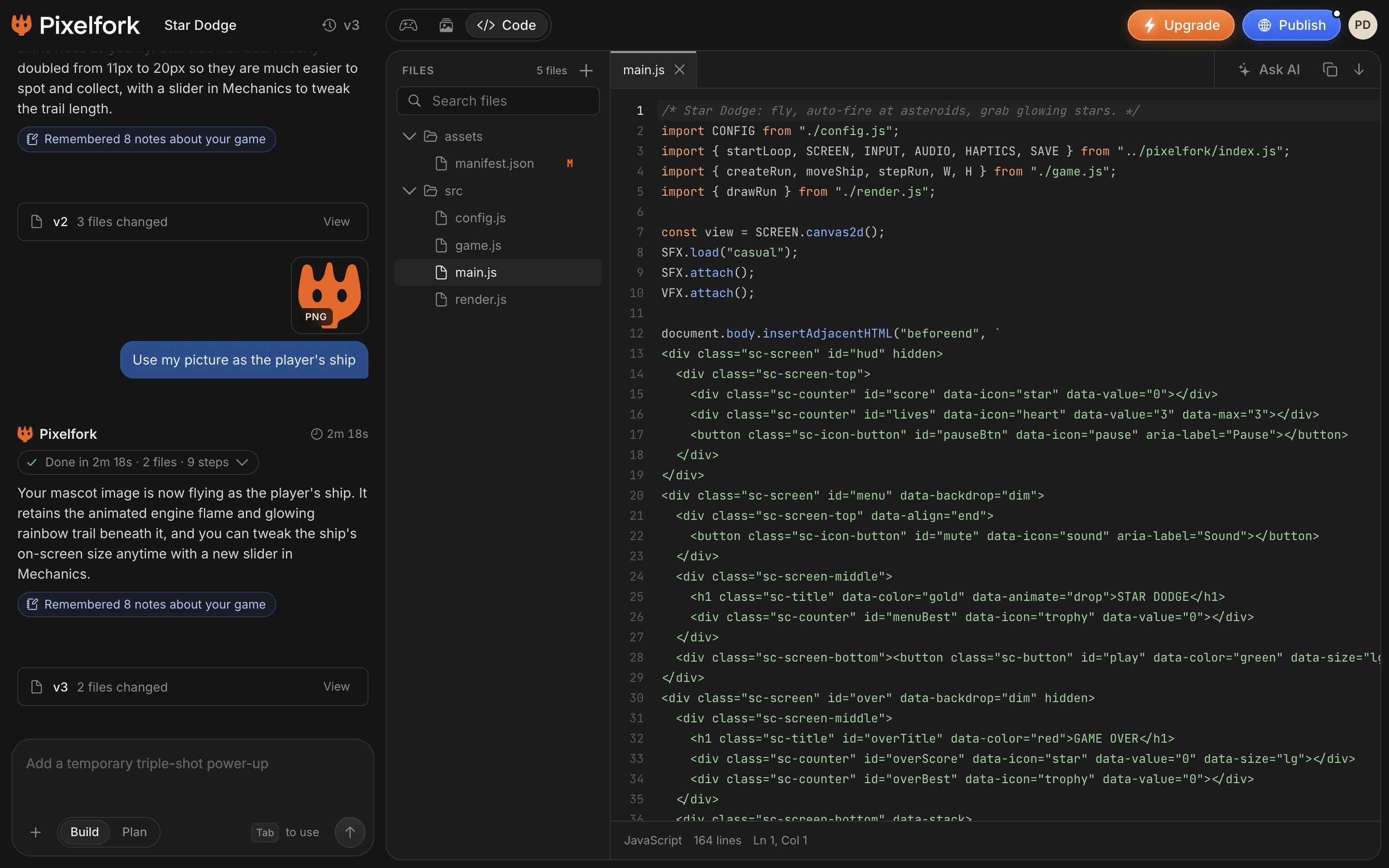
Read and edit every file in the Code tab (Lite and Pro)
Ask AI about the code
See errors in the Console, and fix them with AI
Download the project, or open it in Android Studio (Lite and Pro)
The Code tab, with a game's real files.
Ship it anywhere
One game, every way out.
PublishInstant web link
APKTest on Android
AABShip to Google Play
Android StudioExport the project
Code downloadOwn and edit the code
Questions, answered
A game engine that you use by talking to it. Instead of placing objects and writing scripts, you describe the game, and the AI designs it, writes the code on top of real game libraries, and tests it. You then change it by chatting, or by hand.
Yes. You never have to see code: you chat, drag files in, and tweak values in Mechanics. But the code is always there. Every game is plain HTML5 and JavaScript you can read and edit in the Code tab, and download (Lite and Pro).
Well-known open libraries, never a secret format: Canvas 2D and planck.js for 2D, three.js and crashcat for 3D, Howler.js for sound, plus Pixelfork's own effects, sounds and UI kit. Each game pins the exact versions it was built with.
Yes. Export it for Android as an APK to test it. On Lite and Pro, also download the whole project as a ZIP, or export an AAB for Google Play or an Android Studio project. It's standard web code, so it runs anywhere a browser does.
It's a different kind of engine. Unity and Godot are programs you install and build in yourself, for any size of game. Pixelfork runs in your browser and builds for you: it's made for 2D and stylized 3D games for the web and phones, playable in minutes.
It's checked so it can't ship like that. Every change is type-checked against the libraries' real definitions and played in a real browser before you see it. A change that fails is fixed or not made at all.

 AABShip to Google Play
 Android StudioExport the project